
Free tool
Free MacBook mockup generator
Frame a desktop capture in a MacBook or iMac and export it at the 16:10 sizes the Mac App Store requires. Flat chassis or a 3D MacBook with a real keyboard deck, plus a neutral desktop monitor for cross platform apps. Free, open source and nothing to sign up for
Facts on this page were verified on August 16, 2026
Device frames
What the frame picker holds
Three desktop frames: a MacBook with the notched display and a full keyboard deck in 3D, an iMac with its stand and chin, and a neutral desktop monitor for anything that should not look Apple specific. Screens mask to the display shape and the MacBook 3D pose can tilt to a hero angle
Three steps
How it works
- 1. Open the editor. The editor runs in your browser with nothing to install and no account to create. Pick a ready made template or start from a blank canvas at the exact App Store size
- 2. Drop in your screenshot. Upload a raw screen capture and it snaps into the device frame, masked to the screen with the right corner radius. Switch frames or turn on a 3D pose any time
- 3. Export store ready files. Export PNG files at every size your store listing needs. Everything renders locally, so your screenshots never leave your machine
Store sizes
Export sizes that pass review
Mac App Store screenshots must be 16:10. These are the accepted sizes in 2026, verified against Apple’s specification, and a blank Mac board here starts at 2560x1600
| Tier | Accepted sizes |
|---|---|
| Standard high resolution tier | 2560 × 1600 |
| Other accepted 16:10 sizes | 2880 × 1800, 1440 × 900, 1280 × 800 |
Templates
Start from a Mac template
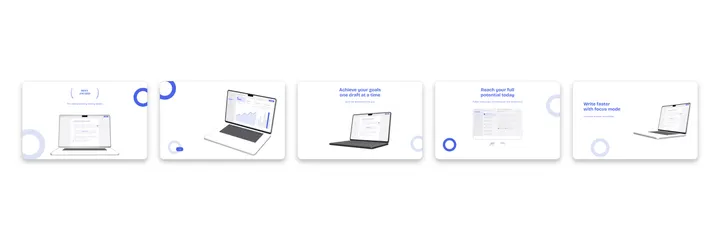
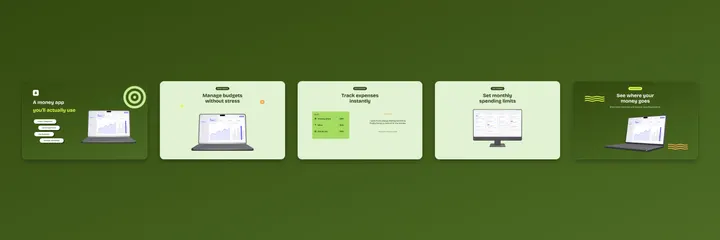
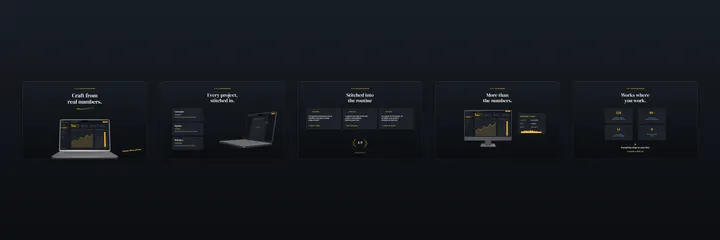
Twelve Mac App Store sets ship with the 3D MacBook already posed. Click one and it opens in the editor. The full gallery is on the templates page

Questions
Fair questions, straight answers
Is the MacBook mockup generator really free?
Yes. There is no paid tier, no watermark and no export limit. The editor is open source and everything renders in your browser
What size does a Mac App Store screenshot need to be?
Any 16:10 size Apple lists: 2560x1600 is the standard tier, with 2880x1800, 1440x900 and 1280x800 also accepted. Boards here start at 2560x1600 so the export passes first try
Is there a 3D MacBook pose?
Yes. The 3D MacBook renders the display and the keyboard deck together and tilts to a hero angle, which is the shot most Mac listings lead with
Can I show an iMac or a generic monitor instead?
Yes. The iMac frame and a neutral desktop monitor sit in the same picker, so cross platform apps can avoid Apple hardware entirely
Keep reading
Related pages
Frame it, export it, ship it
The editor is free, open source and already knows every size your store listing needs